
If you’re an RVer or a boater, Viking 4 amp charger has been your friend. Inexpensive, compact, and effective at charging marine batteries, it’s one of those item that just works. But occasionally, you see a pulsing red clamp symbol on its face.
What does that mean? Is the charger defective? Is there a problem with the battery?
Did I mess up the wiring some how? I get it. No one want to have to babysit a charger.
Seeing that warning light in the middle of a task is not only annoying, but also makes you wonder if you’re safe or not. You certainly don’t want to overheat your electrical system, nor do you want to leave a bad battery unattended. Good news: This error code tend to be simple to diagnose.
What the Flashing Clamp Symbol Means
Diagnosing the Pulsing Red Clamp Symbol
This flashing light is usually straightforward to diagnose and rarely indicate a big problem. Most times it signal that the charger isn’t contacting the battery terminals well. The problem is that there’s not good communication between charger and the battery.
That’s a blessing because knowing what the light flashes can save time and money on needless repairs while also protecting your battery. Verify physical contact is established at the battery post. Corrosion form rapidly on lead acid battery terminal in marine application.
Cleaning Corroded Battery Terminals
A very thin layer of green or white corrosion can prevents the charger from detecting voltage properly. Before it sends current, the Viking unit attempt to make contact with battery. Failure to do so cause the red light to flash.
Simply cleaning the terminals with a mix of baking soda and water on a wire brush will usually resolve this instantly. However, this might not be your battery’s fault, it might be the cables. Examine your ring terminals and alligator clips to see if they’re damaged in any way.
Inspecting Charging Cables for Damage
Frayed wires, cracked plastic, and bent metal tines causes high resistance. Your charger read this as no load and shuts down. A simple solution: replace worn charging leads before you should of purchase a new charger.
Reviving a Deeply Drained Battery
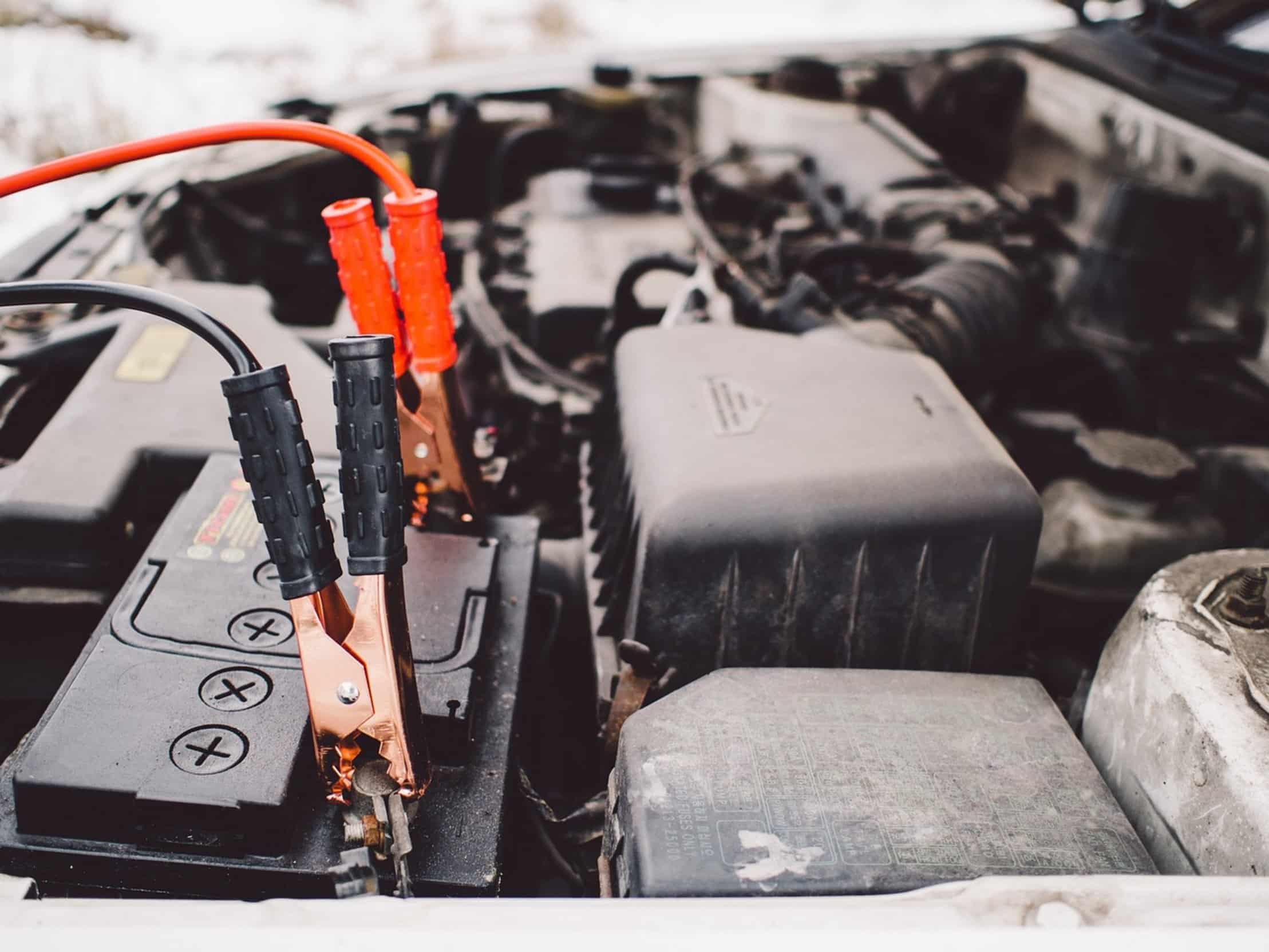
The other reason you’ll sometimes find this happens is a deeply drained battery. The Viking 4 amp model use voltage level as one of the ways to figure out what type of battery it’s connected to. And when the battery have not been used for months, it will be so discharged that its voltage drop below what the Viking can detect.
It’s not seeing any battery at all. Jump start the battery just enough with something else so there is enough voltage for charger to detect it. You plug the charger back in.
Now it know there’s a load and starts charging normaly. Smart moddern chargers are protected by smart diagnostics. The flashing light is a safeguard, NOT a flaw.
Understanding Charger Safety Diagnostics
It prevent the charger from trying to push current through a bad cell or an open circuit. This save wear on both the battery and the charger itself. Continuing to ignore it can risk overheating or even fire in small enclosure.
Proper care include heeding those warnings. On very rare occasions the actual Viking charger can have a bad sensor. Try cleaning terminals, changing cables, and checking that the battery has voltage.
Testing for Charger Hardware Failure
If the light is still flashing, there may be an issue with your charger. Try using it on another known good battery. If the same thing happen you’ll need to get it fixed through Viking support under warranty.
Electronics tend to go out in a predictable manner. The charger is no different than that. A flashing clamp symbol doesn’t always indicate something hard to fix.
In most cases it’s simply reminding you to make sure your connections is good and the cable itself is still in shape. The marine world is a place of regular care. Take care of yourself so you can take care of business out there on the water.
Ensure your cables stays intact, your terminals stay clean, and your voltage stay between the normal range.